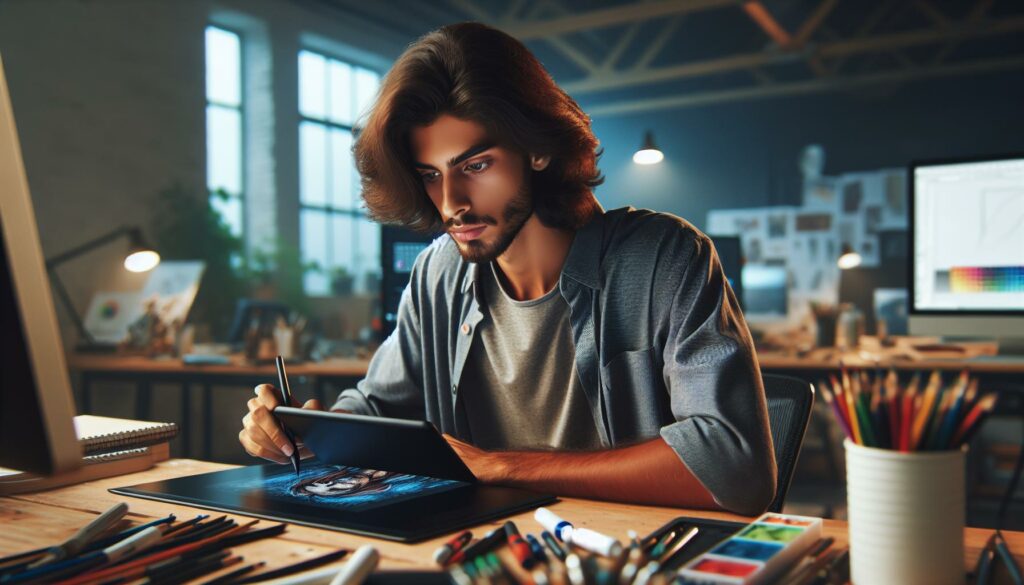
Picture this: a teenager hunched over a glowing tablet at 2 a.m., headphones on, fingers flying. She’s not just scrolling—she’s building a world from scratch. Neon colors pulse across the screen. A digital brushstroke here, a glitch effect there. She’s lost in the flow, chasing that perfect moment when her art feels alive. That’s digital media art in action. It’s not just pixels and code. It’s raw creativity, shaped by technology, and it’s changing how we see, feel, and share art.
What Is Digital Media Art?
Digital media art blends technology and creativity. It covers everything from digital painting and 3D modeling to interactive installations and virtual reality. If you’ve ever played with a photo filter, watched a mesmerizing animation, or wandered through an online gallery, you’ve experienced digital media art. It’s art made with—or for—digital tools.
But here’s the part nobody tells you: digital media art isn’t just for tech wizards or professional artists. Anyone with a smartphone, tablet, or laptop can jump in. The barriers are lower than ever. The only real limit? Your imagination.
Why Digital Media Art Matters
Let’s break it down. Digital media art matters because it’s everywhere. Social media feeds, video games, movie effects, even the ads you skip on YouTube—someone created those. And it’s not just about looking cool. Digital media art shapes how we communicate, protest, and connect. During the pandemic, artists used digital tools to share hope, grief, and solidarity. Memes became lifelines. Virtual concerts brought strangers together. Art didn’t stop; it adapted.
If you’ve ever felt like your ideas were too weird or wild for traditional art, digital media art gives you a playground. You can experiment, fail, and try again—without wasting a single canvas.
How Digital Media Art Works
Tools of the Trade
Forget expensive supplies. Most digital media artists start with what they have. Here’s a quick list:
- Tablets and styluses (like iPad + Apple Pencil)
- Drawing software (Procreate, Adobe Photoshop, Krita)
- 3D modeling apps (Blender, ZBrush)
- Animation tools (Toon Boom, After Effects)
- VR headsets for immersive art
Don’t let the tech scare you. Most programs have tutorials, and online communities are full of people sharing tips, tricks, and even their biggest mistakes. (Pro tip: everyone’s first digital drawing looks weird. That’s normal.)
Styles and Formats
Digital media art isn’t one-size-fits-all. Some artists create hyper-realistic portraits. Others build surreal dreamscapes or code interactive experiences. You’ll find:
- GIFs and looping animations
- Augmented reality filters
- Generative art (made with algorithms)
- Digital collages
- Virtual sculptures
Each style has its own quirks. Some artists love the control of digital painting. Others thrive on the chaos of generative art, where code creates unexpected results. If you’re curious, try a few and see what clicks.
Who Should Try Digital Media Art?
If you love experimenting, digital media art is for you. If you get bored with repetition, you’ll thrive here. But if you hate screens or crave the feel of real paint, you might struggle. That’s okay. Not every medium fits every artist.
Digital media art is perfect for:
- People who want instant feedback (undo button, anyone?)
- Artists who like sharing work online
- Creators who want to mix art with music, code, or video
- Anyone who loves learning new tools
But it’s not for you if you can’t stand troubleshooting software or updating apps. Glitches happen. Files crash. Sometimes, you’ll lose hours of work. (Ask any digital artist about their worst tech fail—they’ll have stories.)
Common Mistakes and Lessons Learned
Here’s a confession: I once spent six hours on a digital painting, only to realize I’d been working on the wrong layer. The whole thing looked flat. I wanted to throw my tablet out the window. But that’s the beauty of digital media art. You learn by doing—and by messing up.
Some common mistakes:
- Forgetting to save your work (autosave is your friend)
- Overusing filters or effects
- Getting lost in details and missing the big picture
- Comparing your work to polished pieces online
Here’s what helps: set small goals. Share your progress, not just the finished product. Ask for feedback. And remember, every artist starts somewhere awkward.
How to Get Started with Digital Media Art
Ready to try? Here’s how:
- Pick a tool. Start simple—your phone or a free drawing app works.
- Set a timer. Give yourself 20 minutes to play, no pressure.
- Copy something you love. Recreate a favorite photo or meme.
- Share your work. Post it online or send it to a friend.
- Repeat. Each time, try one new feature or technique.
Don’t worry about style or perfection. Focus on having fun and learning. The more you play, the more your unique voice will show up.
Where Digital Media Art Is Headed
Here’s the wild part: digital media art keeps changing. AI tools like DALL-E and Midjourney let anyone create images from text prompts. Virtual reality galleries let you walk through art from your living room. NFTs (non-fungible tokens) have turned digital art into collectibles, for better or worse. The rules keep shifting, and that’s exciting—and a little scary.
If you’re worried about “real” art disappearing, don’t be. Digital media art doesn’t replace traditional art. It adds new ways to create and connect. Some artists blend both, painting on canvas and finishing in Photoshop. Others use code as their paintbrush. There’s room for everyone.
Final Thoughts: Why Digital Media Art Is Worth Your Time
If you’ve ever felt stuck or invisible, digital media art gives you a voice. You can share your weirdest ideas with the world—or just with a few friends. You can remix, experiment, and start over as many times as you want. The only rule? Keep creating.
So grab your device, open a blank canvas, and see what happens. Your next masterpiece might be one swipe away.