
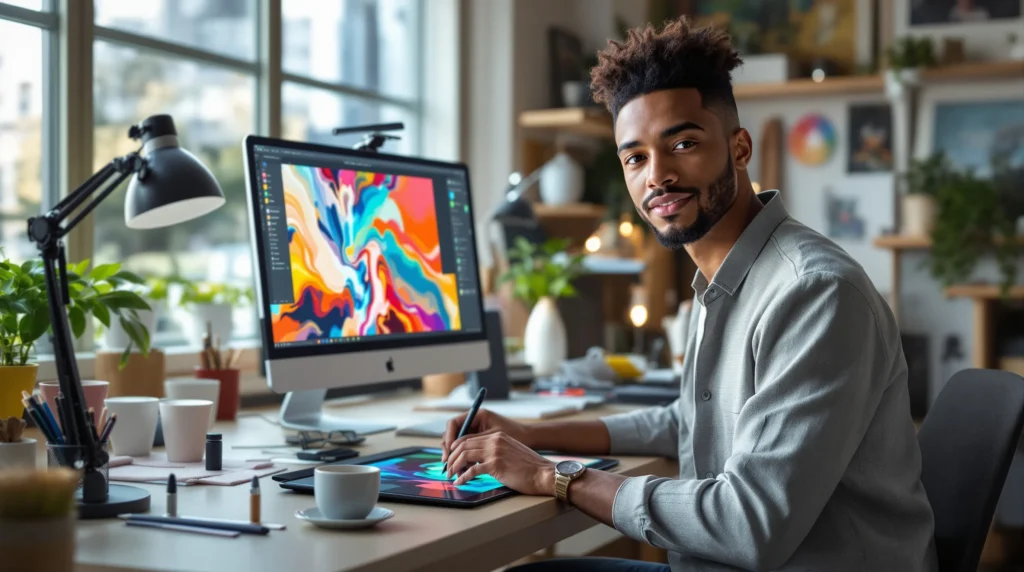
Imagine this: You’re hunched over your tablet at 2 a.m., eyes gritty, coffee cold, and you just erased your digital sketch for the third time. You wonder, “How do people make digital art look so easy?” If you’ve ever felt stuck, overwhelmed, or just plain lost, you’re not alone. Digital art tutorials can change everything—if you know how to use them.
Why Digital Art Tutorials Matter
Let’s be honest. Most of us didn’t wake up knowing how to blend colors or create perfect line art on a screen. Digital art tutorials bridge the gap between “I wish I could” and “I just did.” They break down complex techniques into steps you can actually follow. If you’ve ever tried to draw a hand and ended up with a five-legged spider, you know what I mean.
Here’s why digital art tutorials work: they show you the process, not just the result. You see the messy sketches, the awkward first tries, and the tiny tweaks that make a piece come alive. That’s the part nobody tells you—every artist starts with rough drafts and weird mistakes.
Who Should Use Digital Art Tutorials?
If you’re a total beginner, digital art tutorials give you a roadmap. If you’re self-taught and stuck in a rut, they offer fresh techniques. Even pros use them to pick up new tricks or get out of creative slumps. But if you hate following steps or want to invent your own methods from scratch, you might find tutorials frustrating. That’s okay—there’s no one right way to learn.
Types of Digital Art Tutorials
Not all digital art tutorials are created equal. Some are quick tips, others are deep process breakdowns. Here’s a quick guide:
- Video tutorials: Great for visual learners. You can pause, rewind, and watch brushstrokes in real time.
- Step-by-step guides: Perfect if you like to go at your own pace and see each stage clearly.
- Livestreams: Raw, unfiltered, and sometimes chaotic. You see real mistakes and how artists fix them.
- Written tutorials: Good for people who like to read and reference as they work.
Try a mix and see what clicks. If you get bored halfway through a 40-minute video, switch to a written guide. If you need to see every brushstroke, stick with video.
How to Get the Most from Digital Art Tutorials
Here’s the part nobody tells you: Watching digital art tutorials won’t make you better unless you actually practice. Sounds obvious, but it’s easy to fall into the trap of binge-watching and never drawing. Here’s how to make tutorials work for you:
- Pick one skill at a time. Don’t try to master everything at once. Focus on shading, line art, or color theory—one step at a time.
- Pause and copy. Don’t just watch. Pause the video or reread the step, then try it yourself. Your first attempt will probably look weird. That’s normal.
- Ask questions. Most creators love to help. Leave a comment or join their Discord. You’ll learn faster by getting feedback.
- Repeat the process. The first time you follow a digital art tutorial, you’ll miss things. Do it again. You’ll notice new details each time.
Here’s a secret: Every artist you admire has a folder full of failed attempts. The difference is, they kept going.
Common Mistakes When Using Digital Art Tutorials
Let’s break it down. Most people make these mistakes:
- Comparing your first try to someone’s finished piece. You’re seeing their 100th attempt, not their first.
- Skipping the basics. If you can’t draw a straight line, don’t jump into painting a full portrait. Build up.
- Ignoring your own style. Tutorials are guides, not rules. Steal what works, toss what doesn’t.
If you catch yourself making these mistakes, don’t panic. Everyone does. The trick is to notice, adjust, and keep moving.
Choosing the Right Digital Art Tutorials
With thousands of digital art tutorials out there, how do you pick? Here’s what to look for:
- Clear explanations. If you can’t follow the steps, move on.
- Visible process. You want to see the artist’s screen, not just the final image.
- Active community. Tutorials with comment sections or forums help you get feedback and stay motivated.
- Updated content. Digital art tools change fast. Look for tutorials made in the last year or two.
Don’t be afraid to try a few and see which style fits you. If a tutorial feels confusing or boring, it’s not you—it’s the tutorial.
Tools and Resources for Digital Art Tutorials
You don’t need the fanciest tablet or the latest software to start. Many digital art tutorials use free or affordable tools. Here are some popular options:
- Software: Procreate, Clip Studio Paint, Krita, Adobe Photoshop, Autodesk Sketchbook
- Hardware: iPad with Apple Pencil, Wacom tablets, Huion tablets, even your phone
- Learning platforms: YouTube, Skillshare, Udemy, DeviantArt, ArtStation
Start with what you have. The best digital art tutorials focus on technique, not gear.
Real Stories: Learning from Digital Art Tutorials
Here’s a confession: My first digital painting looked like a melted crayon. I followed a digital art tutorial on YouTube, paused every two minutes, and still ended up with a lopsided cat. But I kept going. The next one looked a little better. After a month, I could draw eyes that didn’t look haunted. If you’ve ever felt embarrassed by your early work, you’re in good company. Every artist has a cringe folder. The only difference is, some keep going and some quit.
Next Steps: Your Creative Journey
If you’re ready to start, pick one digital art tutorial and follow it today. Don’t wait for the “perfect” moment or the “right” tools. Your first try won’t be perfect, but it’ll be yours. Share your work, ask for feedback, and remember—every masterpiece started as a messy sketch. The only way to get better is to keep drawing, keep learning, and keep showing up. Your creative journey starts now.