

Quick answer: SurveyLegend is our top pick for event forms that work well on phones and still look polished. SurveyMonkey, Typeform, SurveySparrow, and Jotform suit teams needing templates, conversational forms, more channels, or offline use.
Editor’s note: This article is a summary of publicly available product information and verified third-party user reviews. We did not test these platforms ourselves. Rankings and recommendations reflect our editorial assessment and are subjective.
You can perfect the venue, speakers, and schedule yet still miss what attendees thought. A good survey catches comments people won’t share face to face. It helps fix weak sessions and shows what deserves a repeat. These nine tools cover feedback before, during, and after an event.
The best event feedback survey tools at a glance
|
Tool |
Best For |
|
SurveyLegend |
Branded mobile forms |
|
SurveyMonkey |
Templates |
|
Typeform |
Conversational forms |
|
SurveySparrow |
Multiple channels |
|
Jotform |
Offline registration |
|
QuestionPro |
Detailed evaluation |
|
Zoho Survey |
Zoho teams |
|
Google Forms |
Free feedback |
|
Microsoft Forms |
Microsoft teams |
1. SurveyLegend
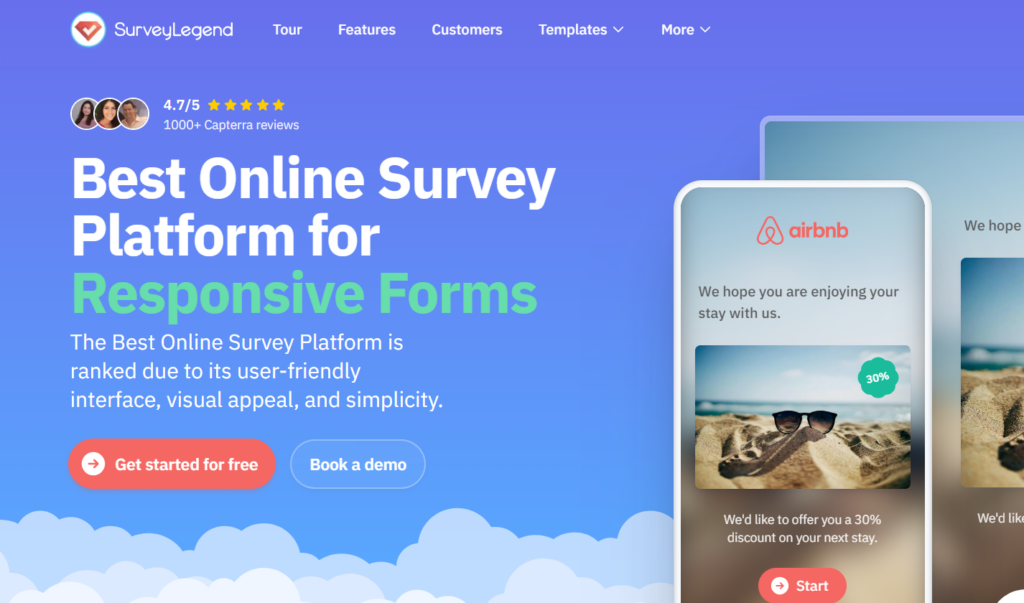
SurveyLegend is an online survey platform for people and businesses of all sizes that makes beautiful, on-brand, mobile-first surveys without coding or design skills. It makes registration and feedback forms feel like part of your event. Its themed, mobile-friendly forms suit on-site responses, while live results reveal reactions quickly. Templates cover RSVPs, planning, preferences, and post-event surveys. SurveyLegend holds a 4.4/5 rating from 562 reviews on G2 and is used by teams at Lufthansa, Airbnb, Adobe, and PayPal.
Pros
- On-brand designs
- Mobile-friendly forms
- Registration templates
- Live analytics
- Easy builder
- Free Starter plan
Cons
- Advanced tools are paid
- No offline collection
2. SurveyMonkey
SurveyMonkey offers event templates, AI setup, QR sharing, and live reports. It works before and after events, but free limits appear quickly.
Pros
- Event templates
- AI-assisted setup
- QR distribution
- Familiar reports
Cons
- Tight free limits
- Better tools cost more
3. Typeform
Typeform makes registration and feedback feel conversational. It looks polished, but response limits can make big events expensive.
Pros
- Engaging flow
- Strong styling
- Registration forms
- Useful integrations
Cons
- Low response limits
- Lighter analysis
4. SurveySparrow
SurveySparrow gathers feedback through links, email, and QR codes. Its wider customer-experience toolkit may be too much for small events.
Pros
- Conversational format
- Multiple channels
- Event templates
- Recurring surveys
Cons
- Advanced tools are paid
- Can feel oversized
5. Jotform
Jotform handles registration, payments, and follow-up surveys. Its app also collects responses offline.
Pros
- Many templates
- Payment collection
- Offline forms
- Flexible workflows
Cons
- Busy interface
- Free submission caps
6. QuestionPro
QuestionPro evaluates speakers, logistics, sponsors, and satisfaction in depth. It may feel heavy for a quick survey.
Pros
- Detailed questions
- Strong analytics
- Event templates
- Useful segmentation
Cons
- Learning curve
- Best tools cost more
7. Zoho Survey
Zoho Survey offers event templates, live reports, and Eventbrite integration. It’s best for Zoho teams.
Pros
- Eventbrite connection
- Live reports
- Useful templates
- Zoho integration
Cons
- Best within Zoho
- Paid limits apply
8. Google Forms
Google Forms is a free way to collect RSVPs and feedback. Responses flow into Sheets, but design and reporting are basic.
Pros
- Free
- Easy setup
- Collaboration
- Sheets integration
Cons
- Limited branding
- Basic reports
9. Microsoft Forms
Microsoft Forms covers registration, polls, and feedback inside Microsoft 365. It’s simple but less event-focused.
Pros
- Quick setup
- Microsoft 365 fit
- Live responses
- Excel export
Cons
- Limited branding
- Few specialist tools
Frequently Asked Questions
What’s the best event feedback survey tool?
SurveyLegend is our best all-round choice for branded forms, mobile responses, registration, and live results. Jotform is better for offline use or payments.
What questions should a post-event survey ask?
Ask about satisfaction, speakers, sessions, venue, logistics, value, returning, and one improvement. These areas help you understand what worked and what needs attention next time.
How do I create a branded registration form?
Use a tool that supports your logo, colors, fonts, and event messaging. SurveyLegend keeps both forms visually consistent.
How do you build a feedback survey?
Start with one clear goal, such as improving the event, rating speakers, or checking attendee satisfaction. Keep the survey short, use mostly easy-to-answer questions, include one open comment box, and send it while the event is still fresh in people’s minds.
Final verdict
SurveyLegend offers the strongest mix of branded design, mobile completion, registration forms, and live results. Pick another tool if offline use, payments, or a specialist workflow matters more. Choose one attendees will complete.