Picture this: You’re hunched over your sketchbook, squinting at a tiny reference photo on your phone, trying to scale it up onto a giant canvas. Your pencil slips. The proportions are off. Frustration sets in. If you’ve ever wished you could just beam your digital art onto the wall and trace it perfectly, you’re not alone. That’s where a digital art projector steps in—and it’s a total game-changer for artists, designers, and even hobbyists who want to bring their visions to life, big and bold.
What Is a Digital Art Projector?
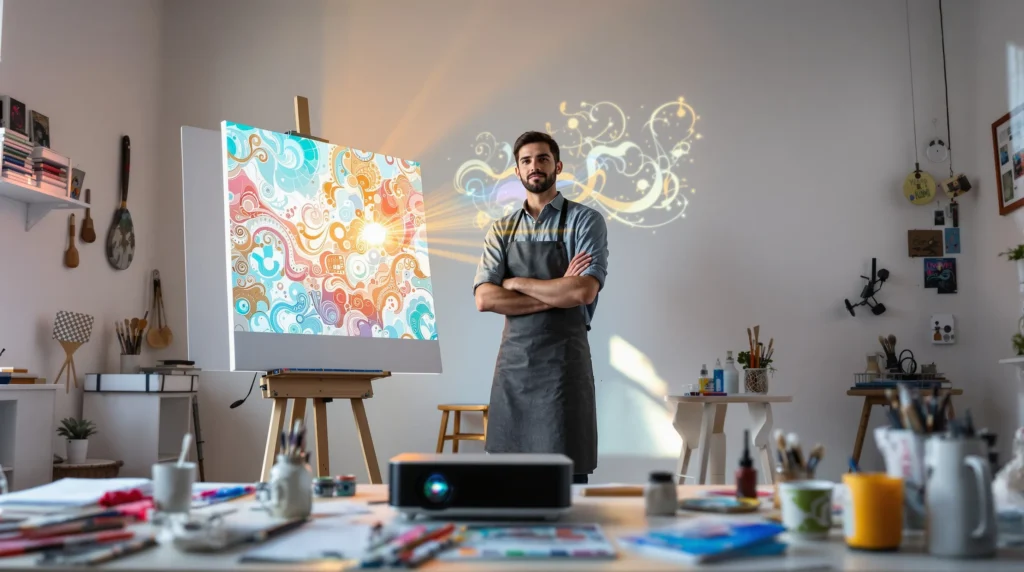
A digital art projector is a device that projects digital images from your phone, tablet, or computer onto a surface like a wall, canvas, or even a cake. It’s like having a magic lantern for your creativity. Instead of painstakingly sketching grids or eyeballing proportions, you can project your reference image at any size, trace the outlines, and focus on the fun part—adding your own flair.
Why Artists Swear by Digital Art Projectors
Let’s break it down. The digital art projector isn’t just a fancy gadget. It’s a tool that saves time, reduces mistakes, and opens up new creative possibilities. Here’s why:
- Scale with confidence: Project your art at any size, from postcard to mural, without losing detail.
- Work faster: Skip the tedious grid method and get straight to painting or drawing.
- Experiment easily: Try out different compositions, colors, or placements before committing.
- Perfect for all skill levels: Whether you’re a beginner or a pro, a digital art projector helps you focus on creativity, not technical headaches.
Here’s the part nobody tells you: Even seasoned artists use projectors. It’s not “cheating”—it’s working smarter.
Types of Digital Art Projectors
Not all projectors are created equal. If you’ve ever scrolled through endless listings, you know the choices can feel overwhelming. Here’s what you need to know:
Pico Projectors
These pocket-sized projectors fit in your hand and connect to your phone or tablet. They’re portable and easy to set up, but they may not be bright enough for large, well-lit spaces.
Standard Digital Projectors
These are the classic models you might see in classrooms or offices. They’re brighter and offer higher resolution, making them great for detailed work or bigger surfaces. They’re bulkier, though, so you’ll need a stable setup.
Short-Throw Projectors
If you’re working in a small studio or want to project a large image from a short distance, short-throw projectors are your friend. They can create big, sharp images even when placed close to the wall.
How to Choose the Right Digital Art Projector
Here’s where most people get stuck. You don’t need the most expensive model, but you do need the right features. Ask yourself:
- How big is your workspace? If you’re in a tiny room, a short-throw or pico projector might be best.
- What’s your budget? Prices range from under $100 to over $1,000. You can get a solid digital art projector for $200–$400.
- What devices do you use? Make sure your projector connects easily to your phone, tablet, or laptop—check for HDMI, USB, or wireless options.
- How bright is your space? Look for at least 1,000 lumens for dim rooms, 2,000+ for brighter spaces.
- Do you need high resolution? For detailed work, aim for 720p or higher.
If you’re just starting out, don’t stress about getting the “perfect” digital art projector. Focus on what fits your space and workflow.
Setting Up Your Digital Art Projector
Let’s get practical. You’ve got your digital art projector—now what? Here’s a quick setup guide:
- Find a stable surface for your projector. A tripod or stack of books works in a pinch.
- Connect your device. Use the right cable or wireless connection.
- Adjust the focus and keystone settings until your image is sharp and straight.
- Resize the image to fit your canvas or wall.
- Dim the lights for better visibility.
- Start tracing! Use a light pencil or chalk for outlines.
Pro tip: If your projector has a remote, use it to tweak the image without moving your setup. It saves a ton of time.
Common Mistakes and How to Avoid Them
Here’s where I messed up the first time: I didn’t check the projector’s angle, and my image came out skewed. If you’ve ever traced a warped face onto a canvas, you know the pain. To avoid this:
- Keep the projector perpendicular to your surface.
- Double-check the focus before you start tracing.
- Mark the corners of your projected image so you can realign if needed.
- Take breaks—projector bulbs get hot, and your eyes need rest.
Don’t worry if it’s not perfect the first time. Every artist tweaks their process. The digital art projector is just a tool—your creativity does the rest.
Who Should (and Shouldn’t) Use a Digital Art Projector?
If you love working big, want to save time, or struggle with proportions, a digital art projector is for you. Muralists, illustrators, crafters, and even cake decorators swear by them. If you prefer freehand drawing or work exclusively on small pieces, you might not need one. And if you’re a perfectionist who obsesses over every pixel, be prepared to spend time adjusting your setup.
Creative Ways to Use a Digital Art Projector
Here’s where things get fun. Your digital art projector isn’t just for tracing. Try these ideas:
- Project reference photos for painting portraits or landscapes
- Map out large-scale murals or chalk art
- Transfer designs onto wood, fabric, or even cakes
- Host collaborative art nights—let friends trace and paint together
- Use it for digital presentations or teaching art classes
The only limit is your imagination. If you’ve ever wanted to see your art bigger, bolder, and brighter, this is your moment.
Final Thoughts: Is a Digital Art Projector Worth It?
Here’s the truth: A digital art projector won’t make you a better artist overnight. But it will make your process smoother, your projects bigger, and your creative life a lot more fun. If you’re tired of squinting at tiny screens or wrestling with proportions, give it a try. You might just surprise yourself—and finally finish that mural you’ve been dreaming about.